
Full Stack Development Course with AI

Full Stack Development Course with AI in Kolkata to Master React, Laravel & WordPress with Placement Assistance.
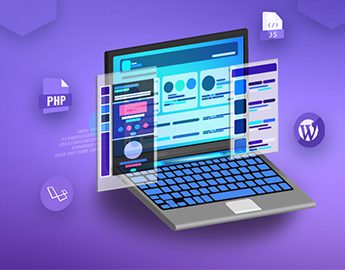

Euphoria GenX offers the best Full Stack Development Course with AI, designed to transform beginners into industry-ready professionals through practical and job-oriented training. With 100% placement assistance, we don’t just train learners—we help launch successful tech careers by offering end-to-end support, including resume building, mock interviews, and career guidance to connect candidates with top MNCs. Success in today’s competitive tech market requires a diverse skill set spanning multiple stacks and frameworks, and this job-oriented programming course provides the technical depth needed to master both client-side and server-side development at Euphoria GenX. The curriculum covers in-demand technologies such as HTML, CSS, JavaScript, React, backend frameworks, databases, and the practical use of AI-powered development tools for faster coding, debugging, and optimization. Students gain hands-on experience through live projects, real-world applications, and GitHub-based portfolio development. Guided by experienced industry mentors, learners receive continuous feedback and performance evaluation. The course is aligned with current industry standards followed by startups, product-based companies, and MNCs. Flexible online and offline learning modes make this Full Stack Development Course with AI suitable for students, job seekers, and working professionals aiming for high-growth careers.


Full Stack Development Course with AI and 100% Placement Assistance Course Content

HTML, CSS, JAVASCRIPT, JQUERY

Module 1: Basic HTML
  • Basic HTML Tags
  • Images
  • Hyperlink
  • Listing
  • Table

Module 2: HTML5 Semantic Elements and Tags
  • Header
  • Navigation
  • Geolocation
  • Section
  • Video/Audio
  • Articles
  • InputTypes
  • Footer
  • Form Elements
  • Aside
  • Form Attributes

Module 3: CSS3
  • Basic use of CSS
  • Formatting the page with CSS
  • Understanding DIV
  • Creating menu with CSS
  • Animation with CSS
  • Borders, Backgrounds
  • Text Effects, Fonts
  • Transitions, Animations
  • Multiple Columns

Module 4: JavaScript
  • Introduction
  • Syntax
  • Conditional Statements
  • Comments
  • Loops
  • Events
  • Variables
  • Datatypes
  • User Define Function
  • Operator

Module 5: Jquery
  • jQuery Introduction
  • Basic Tags
  • Syntax
  • JQuery Get
  • Selectors
  • Lasso Tool
  • Hide/Show
  • Event
  • JQuerySet
  • JQuery Add
  • jQuery Fade
  • jQuery Remove
  • jQuery Slide
  • jQuery CSS Classes
  • jQuery css()
  • jQuery UI

Module 6: BOOTSTRAP
  • Download latest version of Bootstrap
  • Installand configure
  • Understanding Bootstrap Grid System
  • Creatingrows
  • Fixed Layout vs. Fluid Layout
  • Bootstrap Code Lookup
  • Creating columns
  • Tables in Bootstrap
  • Creating cells with the grid system
  • Forms in Bootstrap
  • Bootstrap Buttons
  • Image Handling in Bootstrap

Module 7:MOCK TEST

React Js

Module 1: Introduction to React
  • What is React? Why use it?
  • Single Page Applications (SPA)
  • React vs Vanilla JS, Angular, Vue
  • Setting up the environment (Vite, CRA, etc.)
  • DOM vs Virtual DOM
  • Babel JS Overview
  • JSX Basics
  • React Components and Props

Module 2: Composing Components
  • Introduction to Component Composition
  • Passing Data to Components
  • Passing Children
  • Props & State
  • Efficient Child <=> Parent Communication

Module 3: JSX & Components
  • JSX Syntax & Expressions
  • Functional vs Class Components
  • Props and PropTypes
  • Children and Component Composition
  • Styling Components
  • Custom CSS
  • Tailwind CSS
  • Bulma CSS
  • Bootstrap (CDN or Local)
  • Material UI

Module 4: State & Events
  • Handling Events: onClick, onChange, etc.
  • Controlled vs Uncontrolled Components
  • React Hooks
  • Concepts and Examples: useState, useEffect, useRef, useReducer, useContext
  • Creating Custom Hooks

Module 5: Forms & User Inputs
  • General Form Input Binding in React (Two-Way Binding)
  • Using JS FormData Object
  • Using Third-party Library: Formik
  • Notifications: React Toastify

Module 6: Basic Web Features
  • Listing Data
  • React Lazy Loading
  • Searching, Sorting, and Pagination

Module 7: Routing with React Router
  • React Router Setup: Route, Link, useNavigate, NavLink
  • Router Hooks: useLocation, useParams, etc
  • Dynamic Routes and Route Parameters
  • Private Routing
  • Nested Routes and Layouts

Module 8: API Calling
  • Using fetch and Axios
  • Setting up Axios Configuration
  • Calling Fake APIs
  • Building a Small Frontend Project

PHP & MYSQL

Module 1: Introduction to PHP
  • Evaluation of PHP
  • Basic Syntax
  • Defining variable and constant
  • PHP Data type
  • Operator and Expression

Module 2: Decisions and loop
  • Making Decisions
  • Doing Repetitive task with looping

Module 3: Function
  • What is a user-defined function?
  • Define a user define function
  • Different types of user define functions

Module 4: String and Array
  • Creating and accessing String
  • Formatting String
  • String Related inbuilt function
  • Anatomy of an Array
  • Creating index based and Associative array
  • Accessing array Element
  • Looping with Index based array
  • Looping with associative array using foreach()
  • Some useful array inbuilt function

Module 5: Types of Error in PHP
  • Understand the Basic syntax and Parse error
  • Warning errors in PHP
  • Fatal error in PHP
  • Difference between include and require function

Module 6: Handling Html Form With PHP
  • Capturing Form Data Dealing with Multi-value filed
  • Generating File uploaded form
  • Redirecting a form after submission

Module 7 : Database Connectivity with MySQL
  • Introduction to DBMS and RDBMS
  • PHP and MySQL
  • Creating Database and Tables in MySQL
  • Creating Database connection using PHP
  • Inserting data into MySQL Database using PHP
  • Retrieving, Update and Delete Data from MySQL database using PHP
  • MySQL Where clause
  • Order By
  • Joining multiple table using PHP

Module 8 : AJAX
  • Introduction
  • XMLHttpRequest
  • Response
  • PHP AJAX

WORDPRESS

Module 1: WORDPRESS - OVERVIEW
  • What is a Content Management System (CMS)?
  • Features
  • Advantages
  • Disadvantages

Module 2: WORDPRESS - INSTALLATION
  • System Requirements for WordPress
  • Download WordPress
  • Create Store Database
  • Set Up Wizard

Module 3: WORDPRESS - DASHBOARD
  • Dashboard Menu
  • Screen Options
  • Welcome
  • Quick Draft
  • WordPress News
  • Activity
  • At a Glance

Module 4: WORDPRESS - DASHBOARD
  • Dashboard Menu
  • Screen Options
  • Welcome
  • Quick Draft
  • WordPress News

Module 5: Categories & Tags & Link
  • Add, Edit, Delete Category
  • Arrange Categories
  • Add, Edit, Delete Tags
  • Add, Edit, Delete Links

Module 6: MEDIA
  • Media Library
  • Add Media
  • Insert Media
  • Edit Media

Module 7: POSTS
  • Add Posts
  • Edit Posts
  • Delete Posts
  • Preview Posts
  • Publish Posts

Module 8: PAGES
  • Title
  • WYSIWYG Editor
  • Text Insertion
  • Publish
  • Page Attribute
  • Featured Image
  • Publish Pages
  • Edit Pages
  • DELETE Pages

Module 9: COMMENTS
  • Add, Edit and Moderate Comments

Module 10: USERS
  • User Roles
  • Add, Edit, Delete Users

Module 11 : APPEARANCE
  • Theme Management
  • Customize Theme
  • Widget Management
  • Background

Module 12 : Custom Post Type, Taxonomy,MetaBox
  • Custom Post Type
  • Custom Taxonomy
  • Custom MetaBox

Module 13 : Plugins
  • View Plugins
  • Install Plugins
  • Customize Plugins
  • Install of some useful plugin

Module 14: Woocommerce

Module 15: Project Work and Hosting

LARAVEL

Module 1: Introduction of Laravel Framework
  • Installing Laravel
  • PHP OOPS Concepts
  • Artisan CLI (command-line interface )
  • Laravel Directory Structure
  • Configuring a new Laravel project
  • Artisan command to generate boilerplate code for a controller
  • Basic routing
  • Call a controller method from a route Passing variables from controllers to views

Module 2: HTML Template to Laravel Blade Template
  • Template inheritance
  • Master layout, Extending the master layout
  • Blade conditional statements
  • Displaying variables
  • Blade Loops
  • Executing PHP functions in blade
  • Displaying Your Views
  • Creating and using a basic views
  • Loading a view into another view/nested views
  • Adding assets
  • Integrating with Bootstrap

Module 3: Laravel Database
  • Laravel Database
  • Laravel Eloquent
  • Laravel Relationship
  • Laravel Tinker
  • Laravel Crud
  • Laravel JOIN

Module 4: Migrations
  • Introduction
  • Requirements for running migrations
  • Artisan migration command
  • Migration structure
  • How to create a table using a migration
  • Laravel migration rollback
  • Database Seeding
  • Migrations for our project database

Module 5: Using Forms and Gathering Input
  • Creating contact us form
  • Validating user input
  • Sending email
  • Creating a file uploader
  • Validating a file uploader
  • Creating a custom error message

Module 6: Laravel API creation
  • Introduction to APIs and Laravel
  • Setting Up Laravel for API Development
  • Routing and Controllers for APIs
  • Building API Resources
  • API Resource Classes
  • Request Validation & Form Requests
  • Testing APIs
  • Error Handling & Debugging

AI Integration with MERN

Module 1: Introduction to AI in Web Applications
  • What is AI/ML?
  • Common AI use-cases in web apps (chatbots, recommendation systems, image analysis, NLP)
  • Where AI fits in the MERN architecture

Module 2: Integrating AI APIs (No Training Required)
  • Overview of third-party AI APIs
  • Using axios/fetch to call APIs from Node.js backend
  • Securely storing API keys (.env files, server-side access)
  • Connecting AI results to React frontend

Module 3: Mini AI PROJECT
  • Blog editor with AI-powered content suggestions
  • Auto-summarization of long articles
  • AI-generated tags and titles
Download Syllabus Download Now
Price 69999.00 59999.00
Duration 6 months
Enrolled 99+

Talk to Our Counselor

Key Features of Our Full Stack Development Course with AI in Kolkata

Euphoria GenX is a leading training institute in Kolkata offering 100% placement assistance courses designed to support long-term career growth in the IT industry. Our updated Full Stack Development Course with AI in Kolkata blends front-end and back-end technologies including React, Laravel, WordPress, and AI integration, ensuring students stay aligned with modern web development trends. Led by experienced industry experts, the program focuses on both strong theoretical foundations and real-world application to bridge the gap between learning and execution. At Euphoria GenX, we provide complete 360-degree career support, including mock interviews, resume building, aptitude preparation, and real-time project exposure to deliver truly job-oriented training. Students also gain hands-on experience implementing AI tools, APIs, and automation to build smarter, scalable, and dynamic web applications. Upon successful completion, candidates receive a globally recognized certification that enhances employability across startups, agencies, and MNCs.

100% Placement Assistance Course
Step into intelligent development!


Our Full Stack Development Course with AI blends core training in Data Structure, C Programming, HTML, CSS, JAVASCRIPT, JQUERY, PHP & MYSQL, along with advanced frameworks like React, Laravel, and WordPress—now enhanced with AI tools and APIs. Career prospects include Full Stack Developer, AI-Integrated Web Developer, React and Backend Developer, WordPress & Laravel Specialist.


  • 10,685 Registered Enrolls
  • 87% Satisfaction Rate
  • 100% Job Assistance
  • Trusted by Top Companies
  • Online and Offline Mode
  • A-Class Industry Training

Colleges Whom We Work With

Full Stack Development Course with AI, React, Laravel & WordPress and Placement Assistance
Why Choose Our Full Stack Development Course with AI?
AI Integration Advantage

Stay ahead with integrated training in AI tools, APIs, and automation techniques, preparing you to build smarter, more innovative web solutions.

Expert Industry Training

Learn from industry-leading instructors with extensive real-world experience, ensuring top-tier guidance throughout your development course.

Hands-On Learning

Gain practical experience by working on live projects, helping you build a strong portfolio and master in-demand skills.

100% Job Assistance

At Euphoria GenX, we don’t just train you; we support you until you secure a job, with our 100% placement assistance course.

Career Growth Support

From resume building to interview preparation, we equip you with everything needed to stand out in today’s job market.

Competitive Community

Join a competitive and inspiring environment where you can collaborate with like-minded individuals and grow alongside future industry leaders.


Frequently Asked Questions

01

The program covers the complete web development ecosystem, including HTML5, CSS3, JavaScript, React JS, PHP, MySQL, Laravel, and WordPress Euphoria GenX.

02

The placement team provides 100% assistance, which includes conducting mock interviews, refining resumes to meet industry standards, and organizing recruitment drives with top-tier IT companies for graduates of Euphoria GenX.

03

Yes, the course is structured to help students from all backgrounds. We begin with fundamental logic and programming concepts before advancing to professional frameworks, ensuring a smooth learning curve at Euphoria GenX.

04

Absolutely. Every student who completes the course and the final project work will receive a professional certificate that validates their expertise in Full Stack development from Euphoria GenX.

05

Flexible learning options are available. You can choose to attend in-person classes at the Kolkata campus or participate in live, interactive online sessions managed by Euphoria GenX.


TESTIMONIALS

What our students say

© 2026 Euphoria GenX. All Rights Reserved