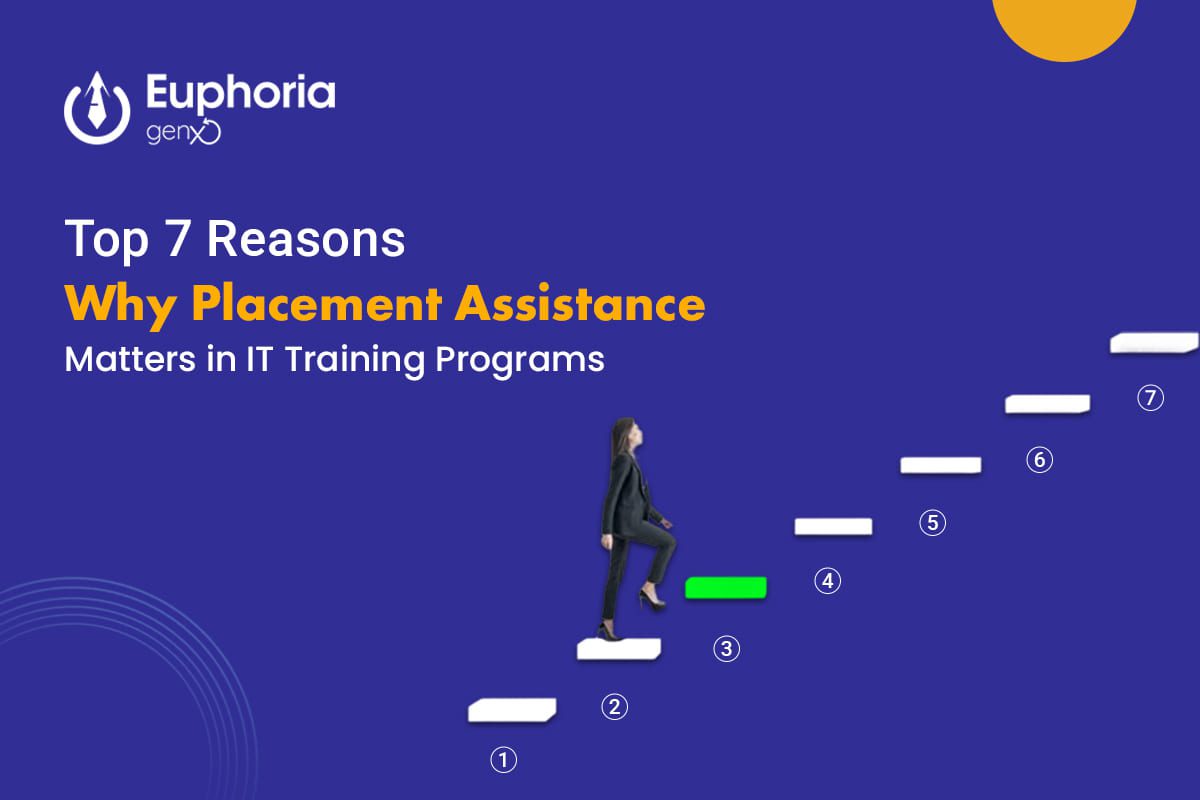
• Top 7 Reasons Why Placement Assistance Matters in IT Training Programs

    In today’s fast-paced IT industry, learning the latest technologies isn’t enough. What truly matters is how effectively that learning translates into a real job. This is where Placement Assistance plays a key role.

    Many students complete their courses with great enthusiasm but still find themselves struggling to land the right opportunity. Institutes that offer 100% Placement Assistance bridge this gap by helping students turn their knowledge into employable skills.

    If you’re thinking about enrolling in a job-oriented training program, understanding the value of placement support is crucial. Here are the top seven reasons why Placement Assistance matters more than ever in the IT training ecosystem.

    1. Placement Assistance Bridges the Gap Between Learning and Employment

    Completing a course is just step one; entering the job market confidently is step two. Placement assistance ensures that transition happens smoothly.

    How It Helps

    • Connects students with hiring partners and recruiters.
    • Provides interview practice sessions and mock tests.
    • Guides learners through resume building and personal branding.

    Why It Matters

    Without placement support, students are left navigating the job market alone. But with guided assistance, they’re equipped with both skills and direction—ready to step into employment the moment they graduate.

    2. Real-World Exposure and Interview Readiness

    Knowing the theory behind Python or JavaScript is one thing—explaining your project in an interview is another. The best IT training institutes with placement support train students not only in tech skills but also in communication, confidence, and presentation.

    What It Includes

    • Mock interviews with industry experts.
    • Soft-skills sessions on confidence, communication, and teamwork.
    • Live project experience that students can discuss in real interviews.

    Result

    Students become job-ready professionals who can clearly articulate their technical expertise and problem-solving abilities.

    3. Builds Confidence and Career Direction

    After completing an IT course, it’s common to feel unsure about which role to pursue—developer, tester, data analyst, or cybersecurity specialist?

    Placement assistance programs often include career counseling and personal mentoring sessions that help learners identify their strengths and align them with the right roles.

    Benefits

    • Personalized career mapping.
    • Guidance on trending IT job roles.
    • Motivation and confidence building through mock placements.

    Why Confidence Matters

    Confidence is often the difference between cracking an interview and missing an opportunity. Continuous mentoring during placement assistance ensures every student feels prepared, not pressured.

    4. Access to Exclusive Job Opportunities

    The best IT training institutes collaborate with leading tech companies and startups for placement drives. These networks provide students with early access to openings that may not be advertised on public job portals.

    Advantages

    • Campus drives organized directly by the institute.
    • Referrals and direct introductions to hiring managers.
    • Internships that often convert into full-time jobs.

    In a Competitive Market

    Such partnerships make all the difference. With 100% placement-backed programs, your resume doesn’t just reach recruiters—it gets noticed.

    5. 100% Placement Assistance Ensures Accountability

    Institutes offering 100% Placement Assistance take responsibility for your job readiness. They don’t just train—they make sure you get placed.

    How Accountability Works

    • Continuous progress tracking during and after training.
    • Dedicated placement officers guiding each student.
    • Regular updates about job fairs and company tie-ups.

    Why This Matters

    Accountability keeps both the student and the institute invested in success. It ensures the training is practical, up-to-date, and aligned with what employers actually demand.

    6. Helps Build a Strong Professional Network

    Your network is your net worth—especially in IT. Placement assistance helps students build meaningful professional connections with alumni, mentors, and hiring partners.

    Networking Benefits

    • Insights into hiring trends and salary expectations.
    • Access to alumni who can refer you for openings.
    • Long-term professional relationships that support future career moves.

    Beyond the First Job

    Networking through your placement program creates a foundation for continuous growth. Even years later, these connections can lead to better roles or freelance opportunities.

    7. Maximizes Your ROI (Return on Investment)

    When you invest time and money in training, your ultimate goal is employability. Institutes that provide Placement Assistance ensure your investment pays off—literally.

    How It Adds Value

    • Faster employment after course completion.
    • Better salary packages due to professional grooming.
    • Confidence in joining the workforce without delay.

    Why ROI Is Important

    You’re not just paying for a certificate—you’re paying for transformation. Job-oriented training with placement assistance guarantees that every learner gets tangible value from their effort and investment

    Empower Your Future with Placement Assistance

    The IT industry evolves rapidly—but one thing remains constant: the need for skilled, job-ready professionals. A training program that combines hands-on learning with Placement Assistance doesn’t just teach you how to code or design—it helps you build a career.

    Choosing a course with 100% Placement Assistance means you’re not walking the job journey alone. You’ll have mentors, recruiters, and experts guiding you every step of the way—from training to your first offer letter.

    So, if you’re looking for the best IT training institute to start your tech career, choose one that promises skills, confidence, and support—until you get placed.

    Discover why Placement Assistance and 100% job support are key to success in IT training. Learn how job-oriented courses help you get career-ready faster.


    AI Enhanced Full Stack Development With 100% Placement Assistance Course

    HTML, CSS, JAVASCRIPT, JQUERY

    Module 1: Basic HTML
    • Basic HTML Tags
    • Images
    • Hyperlink
    • Listing
    • Table

    Module 2: HTML5 Semantic Elements and Tags
    • Header
    • Navigation
    • Geolocation
    • Section
    • Video/Audio
    • Articles
    • InputTypes
    • Footer
    • Form Elements
    • Aside
    • Form Attributes

    Module 3: CSS3
    • Basic use of CSS
    • Formatting the page with CSS
    • Understanding DIV
    • Creating menu with CSS
    • Animation with CSS
    • Borders, Backgrounds
    • Text Effects, Fonts
    • Transitions, Animations
    • Multiple Columns

    Module 4: JavaScript
    • Introduction
    • Syntax
    • Conditional Statements
    • Comments
    • Loops
    • Events
    • Variables
    • Datatypes
    • User Define Function
    • Operator

    Module 5: Jquery
    • jQuery Introduction
    • Basic Tags
    • Syntax
    • JQuery Get
    • Selectors
    • Lasso Tool
    • Hide/Show
    • Event
    • JQuerySet
    • JQuery Add
    • jQuery Fade
    • jQuery Remove
    • jQuery Slide
    • jQuery CSS Classes
    • jQuery css()
    • jQuery UI

    Module 6: BOOTSTRAP
    • Download latest version of Bootstrap
    • Installand configure
    • Understanding Bootstrap Grid System
    • Creatingrows
    • Fixed Layout vs. Fluid Layout
    • Bootstrap Code Lookup
    • Creating columns
    • Tables in Bootstrap
    • Creating cells with the grid system
    • Forms in Bootstrap
    • Bootstrap Buttons
    • Image Handling in Bootstrap

    Module 7:MOCK TEST

    React Js

    Module 1: Introduction to React
    • What is React? Why use it?
    • Single Page Applications (SPA)
    • React vs Vanilla JS, Angular, Vue
    • Setting up the environment (Vite, CRA, etc.)
    • DOM vs Virtual DOM
    • Babel JS Overview
    • JSX Basics
    • React Components and Props

    Module 2: Composing Components
    • Introduction to Component Composition
    • Passing Data to Components
    • Passing Children
    • Props & State
    • Efficient Child <=> Parent Communication

    Module 3: JSX & Components
    • JSX Syntax & Expressions
    • Functional vs Class Components
    • Props and PropTypes
    • Children and Component Composition
    • Styling Components
    • Custom CSS
    • Tailwind CSS
    • Bulma CSS
    • Bootstrap (CDN or Local)
    • Material UI

    Module 4: State & Events
    • Handling Events: onClick, onChange, etc.
    • Controlled vs Uncontrolled Components
    • React Hooks
    • Concepts and Examples: useState, useEffect, useRef, useReducer, useContext
    • Creating Custom Hooks

    Module 5: Forms & User Inputs
    • General Form Input Binding in React (Two-Way Binding)
    • Using JS FormData Object
    • Using Third-party Library: Formik
    • Notifications: React Toastify

    Module 6: Basic Web Features
    • Listing Data
    • React Lazy Loading
    • Searching, Sorting, and Pagination

    Module 7: Routing with React Router
    • React Router Setup: Route, Link, useNavigate, NavLink
    • Router Hooks: useLocation, useParams, etc
    • Dynamic Routes and Route Parameters
    • Private Routing
    • Nested Routes and Layouts

    Module 8: API Calling
    • Using fetch and Axios
    • Setting up Axios Configuration
    • Calling Fake APIs
    • Building a Small Frontend Project

    PHP & MYSQL

    Module 1: Introduction to PHP
    • Evaluation of PHP
    • Basic Syntax
    • Defining variable and constant
    • PHP Data type
    • Operator and Expression

    Module 2: Decisions and loop
    • Making Decisions
    • Doing Repetitive task with looping

    Module 3: Function
    • What is a user-defined function?
    • Define a user define function
    • Different types of user define functions

    Module 4: String and Array
    • Creating and accessing String
    • Formatting String
    • String Related inbuilt function
    • Anatomy of an Array
    • Creating index based and Associative array
    • Accessing array Element
    • Looping with Index based array
    • Looping with associative array using foreach()
    • Some useful array inbuilt function

    Module 5: Types of Error in PHP
    • Understand the Basic syntax and Parse error
    • Warning errors in PHP
    • Fatal error in PHP
    • Difference between include and require function

    Module 6: Handling Html Form With PHP
    • Capturing Form Data Dealing with Multi-value filed
    • Generating File uploaded form
    • Redirecting a form after submission

    Module 7 : Database Connectivity with MySQL
    • Introduction to DBMS and RDBMS
    • PHP and MySQL
    • Creating Database and Tables in MySQL
    • Creating Database connection using PHP
    • Inserting data into MySQL Database using PHP
    • Retrieving, Update and Delete Data from MySQL database using PHP
    • MySQL Where clause
    • Order By
    • Joining multiple table using PHP

    Module 8 : AJAX
    • Introduction
    • XMLHttpRequest
    • Response
    • PHP AJAX

    WORDPRESS

    Module 1: WORDPRESS – OVERVIEW
    • What is a Content Management System (CMS)?
    • Features
    • Advantages
    • Disadvantages

    Module 2: WORDPRESS – INSTALLATION
    • System Requirements for WordPress
    • Download WordPress
    • Create Store Database
    • Set Up Wizard

    Module 3: WORDPRESS – DASHBOARD
    • Dashboard Menu
    • Screen Options
    • Welcome
    • Quick Draft
    • WordPress News
    • Activity
    • At a Glance

    Module 4: WORDPRESS – DASHBOARD
    • Dashboard Menu
    • Screen Options
    • Welcome
    • Quick Draft
    • WordPress News

    Module 5: Categories & Tags & Link
    • Add, Edit, Delete Category
    • Arrange Categories
    • Add, Edit, Delete Tags
    • Add, Edit, Delete Links

    Module 6: MEDIA
    • Media Library
    • Add Media
    • Insert Media
    • Edit Media

    Module 7: POSTS
    • Add Posts
    • Edit Posts
    • Delete Posts
    • Preview Posts
    • Publish Posts

    Module 8: PAGES
    • Title
    • WYSIWYG Editor
    • Text Insertion
    • Publish
    • Page Attribute
    • Featured Image
    • Publish Pages
    • Edit Pages
    • DELETE Pages

    Module 9: COMMENTS
    • Add, Edit and Moderate Comments

    Module 10: USERS
    • User Roles
    • Add, Edit, Delete Users

    Module 11 : APPEARANCE
    • Theme Management
    • Customize Theme
    • Widget Management
    • Background

    Module 12 : Custom Post Type, Taxonomy,MetaBox
    • Custom Post Type
    • Custom Taxonomy
    • Custom MetaBox

    Module 13 : Plugins
    • View Plugins
    • Install Plugins
    • Customize Plugins
    • Install of some useful plugin

    Module 14: Woocommerce

    Module 15: Project Work and Hosting

    LARAVEL

    Module 1: Introduction of Laravel Framework
    • Installing Laravel
    • PHP OOPS Concepts
    • Artisan CLI (command-line interface )
    • Laravel Directory Structure
    • Configuring a new Laravel project
    • Artisan command to generate boilerplate code for a controller
    • Basic routing
    • Call a controller method from a route Passing variables from controllers to views

    Module 2: HTML Template to Laravel Blade Template
    • Template inheritance
    • Master layout, Extending the master layout
    • Blade conditional statements
    • Displaying variables
    • Blade Loops
    • Executing PHP functions in blade
    • Displaying Your Views
    • Creating and using a basic views
    • Loading a view into another view/nested views
    • Adding assets
    • Integrating with Bootstrap

    Module 3: Laravel Database
    • Laravel Database
    • Laravel Eloquent
    • Laravel Relationship
    • Laravel Tinker
    • Laravel Crud
    • Laravel JOIN

    Module 4: Migrations
    • Introduction
    • Requirements for running migrations
    • Artisan migration command
    • Migration structure
    • How to create a table using a migration
    • Laravel migration rollback
    • Database Seeding
    • Migrations for our project database

    Module 5: Using Forms and Gathering Input
    • Creating contact us form
    • Validating user input
    • Sending email
    • Creating a file uploader
    • Validating a file uploader
    • Creating a custom error message

    Module 6: Laravel API creation
    • Introduction to APIs and Laravel
    • Setting Up Laravel for API Development
    • Routing and Controllers for APIs
    • Building API Resources
    • API Resource Classes
    • Request Validation & Form Requests
    • Testing APIs
    • Error Handling & Debugging

    AI Integration with MERN

    Module 1: Introduction to AI in Web Applications
    • What is AI/ML?
    • Common AI use-cases in web apps (chatbots, recommendation systems, image analysis, NLP)
    • Where AI fits in the MERN architecture

    Module 2: Integrating AI APIs (No Training Required)
    • Overview of third-party AI APIs
    • Using axios/fetch to call APIs from Node.js backend
    • Securely storing API keys (.env files, server-side access)
    • Connecting AI results to React frontend

    Module 3: Mini AI PROJECT
    • Blog editor with AI-powered content suggestions
    • Auto-summarization of long articles
    • AI-generated tags and titles

Talk to Our Counselor

Recent Post

  • January 21, 2026

    What Does a PHP Full Stack Developer Do? Skills, Tools & Career Path

  • January 13, 2026

    How to Use AI to Write Social Media Content That Actually Sells in 2026

  • January 6, 2026

    What Does 100% Placement Assistance Actually Mean? Our 2026 Success Process Revealed. 

  • December 17, 2025

    The Impact of AI on Jobs: What Skills You Must Have by 2026

  • December 10, 2025

    Why Data Analytics and AI Will Dominate Every Industry in 2026

TESTIMONIALS

What our students say

© 2026 Euphoria GenX. All Rights Reserved