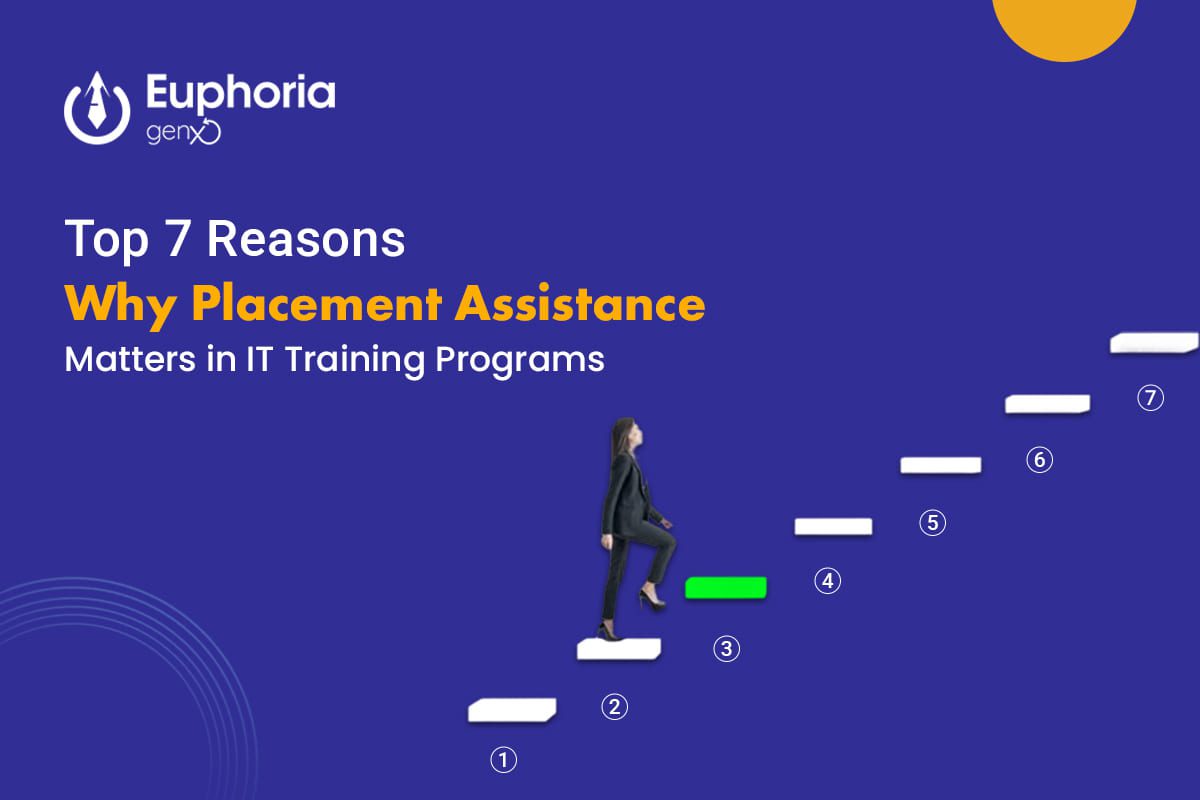
In today’s fast-paced IT industry, learning the latest technologies isn’t enough. What truly matters is how effectively that learning translates into a real job. This is where Placement Assistance plays a key role. Many students complete their courses with great enthusiasm but still find themselves struggling to land the right opportunity. Institutes that offer 100% Placement Assistance bridge this gap by helping students turn their knowledge into employable skills. If you’re thinking about enrolling in a job-oriented training program, understanding the value of placement support is crucial. Here are the top seven reasons why Placement Assistance matters more than ever in the IT training ecosystem. 1. Placement Assistance Bridges the Gap Between Learning and Employment Completing a course is just step one; entering the job market confidently is step two. Placement assistance ensures that transition happens smoothly. How It Helps Why It Matters Without placement support, students are left navigating the job market alone. But with guided assistance, they’re equipped with both skills and direction—ready to step into employment the moment they graduate. 2. Real-World Exposure and Interview Readiness Knowing the theory behind Python or JavaScript is one thing—explaining your project in an interview is another. The best IT training institutes with placement support train students not only in tech skills but also in communication, confidence, and presentation. What It Includes Result Students become job-ready professionals who can clearly articulate their technical expertise and problem-solving abilities. 3. Builds Confidence and Career Direction After completing an IT course, it’s common to feel unsure about which role to pursue—developer, tester, data analyst, or cybersecurity specialist? Placement assistance programs often include career counseling and personal mentoring sessions that help learners identify their strengths and align them with the right roles. Benefits Why Confidence Matters Confidence is often the difference between cracking an interview and missing an opportunity. Continuous mentoring during placement assistance ensures every student feels prepared, not pressured. 4. Access to Exclusive Job Opportunities The best IT training institutes collaborate with leading tech companies and startups for placement drives. These networks provide students with early access to openings that may not be advertised on public job portals. Advantages In a Competitive Market Such partnerships make all the difference. With 100% placement-backed programs, your resume doesn’t just reach recruiters—it gets noticed. 5. 100% Placement Assistance Ensures Accountability Institutes offering 100% Placement Assistance take responsibility for your job readiness. They don’t just train—they make sure you get placed. How Accountability Works Why This Matters Accountability keeps both the student and the institute invested in success. It ensures the training is practical, up-to-date, and aligned with what employers actually demand. 6. Helps Build a Strong Professional Network Your network is your net worth—especially in IT. Placement assistance helps students build meaningful professional connections with alumni, mentors, and hiring partners. Networking Benefits Beyond the First Job Networking through your placement program creates a foundation for continuous growth. Even years later, these connections can lead to better roles or freelance opportunities. 7. Maximizes Your ROI (Return on Investment) When you invest time and money in training, your ultimate goal is employability. Institutes that provide Placement Assistance ensure your investment pays off—literally. How It Adds Value Why ROI Is Important You’re not just paying for a certificate—you’re paying for transformation. Job-oriented training with placement assistance guarantees that every learner gets tangible value from their effort and investment Empower Your Future with Placement Assistance The IT industry evolves rapidly—but one thing remains constant: the need for skilled, job-ready professionals. A training program that combines hands-on learning with Placement Assistance doesn’t just teach you how to code or design—it helps you build a career. Choosing a course with 100% Placement Assistance means you’re not walking the job journey alone. You’ll have mentors, recruiters, and experts guiding you every step of the way—from training to your first offer letter. So, if you’re looking for the best IT training institute to start your tech career, choose one that promises skills, confidence, and support—until you get placed. Discover why Placement Assistance and 100% job support are key to success in IT training. Learn how job-oriented courses help you get career-ready faster.
Close your eyes for a second and think about it — when was the last time you went a full day without checking your phone, scrolling social media, or searching something online?Chances are, never. That’s the power of the digital world — it’s everywhere, shaping how we live, shop, learn, and even dream.And as every business shifts online, digital marketing has become the heartbeat of success. From small startups to global giants, everyone needs skilled digital marketers who can connect brands with audiences online. That’s exactly why digital marketing will dominate the job market in the upcoming future — and why learning it now can completely transform your career. At Euphoria GenX, we prepare students for this digital revolution through our 100% placement assistance Digital Marketing course, designed with real-world, Job-Oriented Training that turns learners into confident professionals. What Is Digital Marketing and Why Is It So Important Today? Digital marketing is not just about running ads on Facebook or Google — it’s about creating connections, building trust, and driving results in a digital-first world. It covers multiple aspects: Every business, from a café to a corporate tech firm, relies on these skills to reach its target audience.That’s why the demand for digital marketing experts is skyrocketing worldwide — and will only continue to grow. Top Reasons Why Digital Marketing Will Dominate the Job Market in the Future Let’s dive deeper into the key reasons digital marketing is becoming the skill of the decade. 1. Every Business Is Going Digital Gone are the days when businesses relied only on billboards or TV ads.Today, a strong digital presence is the lifeline of every company. That means — whether you’re a student or a professional — learning digital marketing opens doors to opportunities in every industry imaginable. 2. Massive Job Opportunities Across Industries The digital marketing ecosystem is vast. You can choose from a variety of roles depending on your interests and skills: According to industry reports, India alone will have over 1.5 million digital marketing jobs by 2026. That’s why enrolling in a Job-Oriented Training program like the one offered by Euphoria GenX is the smartest step toward a future-proof career. 3. The Power of AI and Automation in Marketing The future of marketing is AI-driven.From personalized ads to predictive analytics, artificial intelligence is transforming how companies reach consumers. Marketers who understand how to use AI tools — like ChatGPT, Google Analytics 4, or Meta Ad Manager — will always stay ahead in their careers. At Euphoria GenX, students are trained to use the latest digital tools, AI platforms, and marketing automation systems, ensuring they’re ready for the evolving job market. 4. High Demand, Low Competition — The Perfect Career Mix Despite being one of the fastest-growing fields, there’s still a shortage of skilled digital marketers. Companies are hiring aggressively, but not enough candidates have hands-on experience.That’s where Euphoria GenX bridges the gap with its Job-Oriented Training model — focusing on real campaigns, live projects, and placement assistance. So, while others are just learning theory, you’ll be mastering practical skills that employers truly value. 5. Global Career Opportunities and Remote Work One of the best things about digital marketing? You can work from anywhere. You don’t need to move abroad or relocate to big cities — your skills can earn you clients from around the world.Many digital marketers today work remotely or as freelancers, managing international campaigns from home. With Euphoria GenX’s 100% placement assistance Digital Marketing course, you’ll be ready to join not only Indian firms but also global agencies looking for talented online marketers. 6. Affordable Learning, Limitless Growth Unlike other technical careers, digital marketing doesn’t require a degree in engineering or years of coding.It’s skill-based — meaning anyone with curiosity and creativity can excel. Euphoria GenX makes this journey even easier with: With dedication and guidance, you can land your first job or even start your own digital marketing agency. 7. Recession-Proof Career Path During economic downturns, many industries slow down — but digital marketing thrives. When businesses cut budgets, they shift focus to cost-effective online strategies to maintain visibility.That means marketers who can deliver measurable online results remain in high demand — no matter the economy. This makes digital marketing a stable and secure career choice for the future. 8. The Influencer and Creator Economy Is Booming Another big reason digital marketing is unstoppable? The creator economy. Influencers, YouTubers, podcasters, and personal brands are using digital marketing techniques to grow their audiences and earn online.Even small content creators now collaborate with brands through influencer campaigns — a multi-billion-dollar market that keeps growing each year. Learning these strategies gives you an edge not only as a marketer but as a potential creator yourself. 9. Data-Driven Decisions Are the New Gold Digital marketing is all about data and performance. From tracking engagement rates to measuring conversion metrics, marketers use analytics tools to make smart decisions.At Euphoria GenX, students gain hands-on training in tools like: This Job-Oriented Training ensures you don’t just learn — you implement and analyze results like a professional marketer. 10. Future-Proof Your Career with the Right Institute The demand is real — but success depends on where and how you learn.Choosing the right institute makes all the difference. At Euphoria GenX, we’ve designed our Digital Marketing course with 100% placement assistance to help students build real skills, not just certifications. Our key features include: With our Job-Oriented Training approach, you’ll graduate job-ready and confident to work in agencies, startups, or corporate firms. The Future Outlook — What Lies Ahead By 2030, over 75% of all marketing budgets are expected to go digital.Artificial Intelligence, AR/VR advertising, Metaverse marketing, and voice search optimization will redefine how brands interact with customers. But behind every successful campaign, one thing will always remain constant — the need for skilled, strategic, and creative digital marketers. That’s why starting today with the Euphoria GenX Digital Marketing course is not just smart — it’s future-proof. Final Thoughts — The Future Is Waiting for […]

Data Analytics with Power BI has emerged as a critical skill for professionals across industries. Organizations today are flooded with data, and the ability to transform raw information into actionable insights is highly valued. Businesses need analysts who can not only process data but also visualize it effectively to guide strategic decisions. A specialized Data Analytics with Power BI course equips learners with the technical expertise, analytical mindset, and industry-relevant experience required to thrive in high-paying analytics roles. Whether you aim to become a Data Analyst, Business Intelligence Developer, or an aspiring Data Scientist, acquiring the right skills through structured training is essential. In this blog, we will explore how such a course prepares you for lucrative career opportunities, why choosing a job-oriented training program matters, and the advantages of learning from the best IT institute with a 100% placement guarantee. Why Data Analytics Skills Are In High Demand Data has become a critical resource in modern businesses, powering smarter decisions and strategic growth. Companies generate massive amounts of information daily, from customer interactions and transactions to social media and operational metrics. However, raw data alone has limited value unless it is analyzed and converted into actionable insights. This is where data analytics comes into play. Organizations leverage analytics to: Power BI, a Microsoft business intelligence tool, is widely adopted because it allows professionals to visualize complex data, create interactive dashboards, and provide insights in a user-friendly format. Combining data analytics skills with Power BI proficiency makes you highly competitive in the job market. What Makes a Data Analytics with Power BI Course Unique? Enrolling in a Data Analytics with Power BI course is not just about learning a tool—it’s about mastering the end-to-end process of data analysis, from cleaning and transforming data to building insightful dashboards. Here’s what makes such a course unique: Comprehensive Curriculum Covering Key Tools A high-quality course covers a wide range of analytics tools and techniques, including: This multi-tool approach ensures that learners can handle diverse datasets and solve complex analytics problems in real-world scenarios. Hands-On Learning with Real Projects A job-oriented training program emphasizes practical learning. Students work on real datasets, simulate business scenarios, and create interactive dashboards that reflect actual organizational needs. Capstone projects help learners demonstrate their abilities to potential employers, which is especially important in competitive fields like data analytics. Focus on Business Intelligence and Decision Making The course doesn’t just teach technical skills—it trains you to think like a data-driven professional. You’ll learn how to: This combination of technical knowledge and business acumen positions you for high-paying roles where strategic insight is valued. How Job-Oriented Training Helps You Stand Out One of the biggest challenges in entering the analytics field is bridging the gap between theoretical knowledge and practical application. This is where job-oriented training becomes crucial. Curriculum Designed Around Industry Needs A job-oriented course is structured based on industry requirements and recruitment trends. It focuses on skills that employers actually look for, such as: Practical Exercises and Assignments Unlike traditional classroom programs, a job-oriented course provides numerous practical exercises and assignments. This includes building: These exercises ensure that you don’t just learn the theory but also apply it effectively, which significantly improves your employability. Mock Interviews and Resume Assistance To make you job-ready, top institutes offering Data Analytics with Power BI courses provide mock interviews, case studies, and resume optimization. This training helps you confidently handle technical rounds, business case discussions, and Power BI live tests, increasing your chances of securing high-paying roles. Choosing the Best IT Institute for Your Analytics Journey Selecting the best IT institute for your Data Analytics with Power BI training can make a world of difference. Here’s why: Experienced Trainers and Industry Experts Learning from seasoned instructors ensures you gain insights beyond textbooks. Experts share real-world experiences, practical tips, and industry best practices that are invaluable when preparing for professional roles. Access to State-of-the-Art Labs Top institutes provide access to advanced labs equipped with the latest tools, software, and datasets. This hands-on exposure helps learners develop confidence in working with real analytics environments. Structured Learning with 100% Placement Support Institutes offering a 100% placement guarantee focus not just on training but also on career outcomes. You get support with: This approach ensures that the investment in your training translates directly into career opportunities. High-Paying Job Roles After Completing the Course Completing a Data Analytics with Power BI course opens doors to multiple high-paying career paths. Some of the most sought-after roles include: Data Analyst Responsible for analyzing datasets, preparing reports, and providing actionable insights. Average salary: $60k–$90k per year. Business Intelligence Analyst Focuses on building dashboards, creating visual reports, and supporting data-driven decision-making. Average salary: $70k–$100k per year. Power BI Developer Specializes in designing and deploying Power BI dashboards, implementing DAX calculations, and integrating multiple data sources. Average salary: $65k–$95k per year. Entry-Level Data Scientist Applies statistical methods and machine learning to solve business problems. Average salary: $75k–$110k per year. The combination of hands-on skills, live projects, and placement support ensures that learners are fully prepared to step into these roles confidently. Advantages of Learning Data Analytics with Power BI Enrolling in a specialized course offers several benefits: Mastering Interactive Dashboards Power BI allows you to create interactive dashboards that present data in an easy-to-understand format, helping stakeholders make informed decisions quickly. Integrating Multiple Tools A comprehensive course teaches you how to integrate Python, SQL, and Excel with Power BI, giving you a versatile skill set. Understanding Business Metrics You learn how to interpret KPIs, generate reports, and provide actionable insights that have real business impact. Career Growth and Higher Salaries Professionals skilled in Power BI and data analytics are in high demand. The specialized training and certification significantly improve job prospects and salary potential. Real-World Applications of Power BI in Industries Marketing Analytics Finance and Operations Healthcare By understanding how Power BI is applied across sectors, learners gain practical insight into its relevance in professional roles. Conclusion A Data Analytics with Power […]
UI/UX Design has become one of the most in-demand career choices in today’s digital-first world. Many students believe that to pursue UI/UX Design, they need to be from a technical background, like Computer Science or IT. But here’s the good news: anyone with creativity, problem-solving skills, and a passion for design can thrive in UI/UX—even without coding expertise. In this blog, we’ll explore why students from non-technical backgrounds can succeed in UI/UX Design, how to start a career in this field, and why joining a job-oriented UI/UX Design course at the best IT training institute can make you job-ready for the future. Understanding UI/UX Design and Its Significance Before diving deeper, let’s clear the basics. From mobile apps like Instagram to websites like Amazon, good UI/UX design is what keeps users engaged. Businesses today understand that design isn’t just about beauty—it’s about user satisfaction, and that’s why UI/UX Design professionals are in high demand worldwide. Do You Need a Technical Background for UI/UX Design? The simple answer: No. Unlike coding-intensive careers like software engineering, UI/UX Design focuses more on creativity, empathy, communication, and problem-solving. Sure, a little technical knowledge helps, but you don’t need to be a programmer to become a successful designer. In fact, what matters most is understanding user needs and translating them into seamless, engaging digital experiences. A strong sense of design, storytelling, and user psychology often makes a bigger impact than technical skills alone. Designers work closely with developers, product managers, and clients to bring ideas to life, making collaboration a key part of the process. Ultimately, UI/UX design bridges the gap between technology and people, ensuring that products are not just functional but also intuitive and enjoyable to use. Why Students from Non-Technical Backgrounds Can Excel in UI/UX Design 1. Creativity Over Coding Non-technical students often bring fresh perspectives and creative problem-solving to design. Whether you’re from the arts, commerce, or humanities, your creative skills can become your biggest strength. 2. Empathy and Human-Centered Thinking Great design starts with empathy. If you can understand user behavior and needs, you already have one of the most important skills for a UI/UX designer. Non-technical backgrounds often encourage soft skills such as communication, psychology, and storytelling, which are essential in UX. 3. Tools Do the Heavy Lifting Modern design tools like Figma, Adobe XD, and Sketch don’t require coding. They’re built to empower designers, regardless of their technical expertise. With proper job-oriented training, any student can master these tools quickly. 4. Design is About Thinking, Not Just Technology UI/UX is more about design thinking, wireframing, and prototyping rather than writing code. Your analytical and creative mindset matters more than your knowledge of programming languages. 5. Growing Industry Needs More Talent The demand for UI/UX designers is booming across industries—IT companies, startups, fintech, e-commerce, and education technology are all hiring. This means more opportunities for students from diverse academic backgrounds to enter the industry. What Skills Do You Need to Become a UI/UX Designer? Here’s what you’ll learn in a UI/UX Design course: Design Thinking This is the foundation of UI/UX design. It’s all about approaching problems creatively, keeping the user’s needs at the center, and coming up with innovative solutions. Designers learn to empathize with users, define problems clearly, brainstorm ideas, and test them until they arrive at the best possible outcome. Wireframing & Prototyping Before jumping into final designs, UI/UX designers create wireframes—basic layouts that act as the “blueprint” of a website or app. Prototyping then brings these ideas to life by making them interactive, so designers and stakeholders can test the flow and usability before actual development begins. Visual Design This focuses on making interfaces not only functional but also visually appealing. It involves understanding typography for readability, color psychology for emotional impact, layout balance, and consistent branding. A good visual design ensures the product is both attractive and easy to navigate. User Research Great design starts with knowing the audience. Through surveys, interviews, focus groups, and usability testing, designers collect insights into user behavior, pain points, and expectations. This research helps in creating products that are tailored to real user needs rather than assumptions. Tools Mastery UI/UX designers use specialized tools to turn their ideas into reality. Platforms like Figma, Adobe XD, and Sketch help in designing interfaces and building prototypes, while tools like Photoshop or Illustrator are used for graphics and branding. Hands-on practice with these tools makes the design process faster and more professional. Soft Skills Beyond technical abilities, strong communication, empathy, storytelling, and teamwork are crucial. Designers need to explain their ideas clearly, collaborate with developers and stakeholders, and advocate for the user’s perspective. These skills often give non-technical students an edge, as they naturally bring creativity and empathy into their work. Benefits of Taking a UI/UX Design Course Become Job-Ready in a Short Time Unlike careers that require years of engineering or computer science education, UI/UX design can be learned in a shorter span of time. With a focused, job-oriented training program, you can acquire the essential skills and build a professional portfolio within just 3–6 months. This makes it an ideal career option for students and professionals looking for quick entry into the IT industry. High Demand and Attractive Salaries The demand for skilled UI/UX designers is rapidly growing as every business—from startups to global enterprises—needs intuitive digital products. In India, entry-level UI/UX designers can start with salaries ranging from ₹4–6 LPA, and with experience, this can rise to ₹15–20 LPA or even higher. Globally, UI/UX professionals are among the top-paid roles in IT, making it a lucrative career choice. Global Career Opportunities UI/UX design skills are universal and not bound by geography. A strong portfolio and hands-on experience can open doors to career opportunities not just in India, but also in countries like the USA, UK, Dubai, Canada, and beyond. Remote work opportunities further expand the scope, allowing you to work with international clients and companies. No Technical Degree Required One of the biggest advantages of UI/UX design […]
AI-Enhanced Full Stack with React, Laravel & WordPress is rapidly emerging as a career-defining skillset in today’s digital era. The demand for skilled developers is increasing every year as businesses across industries seek innovative solutions that combine speed, flexibility, and intelligence.Full stack development already plays a key role by addressing both the front-end and back-end of web applications. However, the future of development is not just about coding—it is about enhancing development with artificial intelligence. This unique combination of AI with React, Laravel, and WordPress creates modern, scalable, and intelligent web solutions. For developers, mastering these technologies can unlock multiple career opportunities and ensure long-term professional growth. Why Developers Should Pay Attention to Full Stack Development? Full stack development has always been a valuable skill in the technology industry. A full stack developer is capable of managing the entire development cycle of an application, including the user interface, server-side logic, database handling, and deployment. This versatility makes them highly sought-after professionals in the job market. Moreover, organizations save both time and money when they hire developers who can handle multiple layers of technology. Instead of hiring separate frontend and backend specialists, a full stack developer bridges the gap between both ends and delivers complete solutions. This efficiency explains why employers consider full stack skills a major advantage. The Growing Role of Artificial Intelligence in AI-Enhanced Full Stack Development Artificial intelligence has now become a game-changer in software development. It is no longer limited to research labs or niche industries. Instead, AI is widely used in everyday applications, ranging from chatbots to recommendation systems. Developers can now rely on AI-powered tools for code suggestions, bug detection, performance optimization, and automated testing. When AI is combined with full stack development, it leads to smarter applications that adapt to user behavior and business needs. This integration reduces repetitive tasks, enhances accuracy, and allows developers to focus on creativity and problem-solving. Therefore, AI is not only improving software quality but also shaping the future of careers in technology. Understanding the Core Technologies To better understand the advantages of AI-enhanced full stack development, it is important to explore the three main technologies: React, Laravel, and WordPress. Each of these tools has its strengths, and when combined with AI, they create powerful results. React: The Power of Dynamic Frontends React, developed by Meta, is one of the most popular JavaScript libraries for building user interfaces. It is frequently used to create interactive and dynamic web applications. Developers appreciate React because of its reusable components, efficient rendering through a virtual DOM, and strong ecosystem. With AI integration, React applications can deliver personalized user experiences. For example, an e-commerce platform built with React can use AI to recommend products based on user behavior. Similarly, content platforms can optimize layouts dynamically to improve engagement. Thus, AI takes React beyond traditional interfaces and makes applications more intelligent. Laravel: The Backbone of Strong Backends The PHP framework Laravel is renowned for its strong features and sophisticated syntax. It simplifies backend development by providing built-in solutions for routing, authentication, security, and database management. Laravel also supports APIs, making it suitable for modern applications that require seamless integration with other services. When combined with AI, Laravel can power backend systems with predictive analytics and intelligent decision-making. A CRM built with Laravel, for instance, can forecast future sales opportunities by analyzing customer interactions. This ability to process and analyze data intelligently makes Laravel even more valuable in business applications. WordPress: The Flexible CMS WordPress is the most widely used content management system (CMS), powering more than 40% of websites globally. It is widely used because of its simplicity, large plugin library, and strong community support. WordPress is no longer just a blogging platform; it now powers e-commerce sites, learning management systems, and corporate portals. AI brings WordPress to the next level by adding features such as automated content creation, voice search optimization, and smart chatbots. With AI-enabled plugins, businesses can deliver personalized content to users and improve customer engagement. For developers, this means they can build smarter websites with less manual effort. Career Advantages of AI-Enhanced Full Stack Development For developers, learning multiple technologies has always been a way to stand out in the job market. However, combining these skills with AI creates a unique advantage that employers cannot ignore. Increased Employability Employers want professionals who can contribute across different areas of development. A developer skilled in React, Laravel, and WordPress already offers significant value. When AI is added to the mix, the developer becomes capable of creating smarter, data-driven solutions. This directly increases employability. Higher Salaries Developers with AI-enhanced skills are often paid more than traditional developers. Organizations are willing to invest in talent that helps them stay competitive in a digital-first world. Therefore, professionals with this combination of skills can expect faster career growth and better financial rewards. Opportunities in Multiple Roles A developer with expertise in AI-enhanced full stack can pursue roles such as: These roles exist in almost every industry, from e-commerce and education to healthcare and finance. Demand Across Industries The demand for AI-enabled applications is rising rapidly. Companies in e-commerce want personalized shopping experiences, while educational platforms need smart content delivery systems. Healthcare providers are also investing in AI-driven applications to improve patient care. Because React, Laravel, and WordPress are already popular across these industries, adding AI creates even more possibilities. Developers who master this combination will find opportunities in both startups and large enterprises. Future Outlook The future of web development clearly belongs to those who adapt to AI. Companies are no longer satisfied with static websites or basic applications. They need platforms that understand user behavior, optimize performance automatically, and provide insights from data. By learning AI-enhanced full stack skills, developers future-proof their careers. They gain the ability to work on projects that will dominate the next decade. Moreover, as businesses increasingly adopt digital-first strategies, the demand for these professionals will continue to rise. Best Practices for Developers Who Want to Learn Start with Strong […]
Job-oriented training has become the cornerstone of career success in 2025. Today’s tech sector is more dynamic than it has ever been. With the rise of AI integration, cloud computing, immersive user experiences, and digital commerce, the need for highly skilled tech professionals continues to soar. Companies are seeking candidates who can contribute from day one, and that’s where job-ready skills take center stage. But the conventional educational route frequently can’t keep up with the quickly changing technological landscape. That’s why many aspiring professionals are now shifting towards specialized training that not only enhances skills but also increases the chances of immediate employability. This blog will help you understand why enrolling in job-oriented course programs can be the smartest decision for your future tech career. Why Choose Job-Oriented Training in 2025? Making the decision to pursue job-oriented training is now crucial in the rapidly changing tech landscape. These programs are tailored to bridge the gap between what traditional education offers and what the industry demands. The Gap Between Traditional Education and Industry Requirements Many university degrees still focus on outdated theory and curriculum that haven’t evolved with the tech industry. Employers today seek candidates who have practical knowledge, hands-on project experience, and the ability to adapt quickly. How Job-Oriented Programs Ensure Employability Job-focused training programs are curated to match real-time industry expectations.With an emphasis on practical application, they provide experiential learning, exposure to real-world projects, and instruction in soft skills. These courses are crafted with a single goal — making the learner job-ready. Real-World Skills vs. Outdated Curriculum Unlike traditional courses, these modern training programs are agile. They evolve with changing trends and technologies. Learners get to work with real-world tools, modern frameworks, and industry-relevant platforms, gaining experience that mirrors actual job scenarios. Top Job-Oriented Tech Courses That Can Shape Your Career In this section, we’ll explore the top tech career pathways that are in high demand and can be pursued through job-oriented programs. In the current digital age, one of the most adaptable and in-demand skills is full stack development. Whether you’re learning the popular MERN stack (MongoDB, Express.js, React.js, Node.js) or mastering backend development with PHP, this training equips you with the knowledge to build complete web applications — covering frontend, backend, databases, and deployment techniques. It equips you with the knowledge to build complete web applications, covering frontend, backend, databases, and deployment techniques. a. Full Stack Development (MERN Stack or PHP) What You’ll Learn Career Opportunities b. Digital Marketing Digital Marketing has become the backbone of every business’s growth. This course is ideal for both analytical thinkers and creative minds, combining data-driven strategies with innovative content creation. What You’ll Learn Career Opportunities c. UI/UX Design With user experience becoming the cornerstone of digital product success, UI/UX Design is an incredibly valuable skill. This course is perfect for individuals who love creativity, aesthetics, and solving problems through design. What You’ll Learn Career Opportunities How to Choose the Right Course Based on Your Strengths Assess Your Interests and Skills Not every person is suited for the same technological route. If you enjoy logical problem-solving and building things, Full Stack Development might suit you. Love branding, strategy, and analytics? Then, Digital Marketing is your call. Enjoy aesthetics, empathy, and creating delightful experiences? UI/UX Design may be your best match. Align with Job Market Demand Research market trends. Analyze job portals. What roles are in demand in your city or country? Match those with your interests. Opting for trending skills enhances your chances of quicker placement. Leverage Mentorship and Career Guidance At Euphoria GenX, every student receives one-on-one mentorship. Career counselors help map out a roadmap based on your strengths and industry demand. Whether it’s resume building or interview practice, you’ll get personalized support. Your Next Step Toward a Future-Ready Tech Career Choosing the right career path can be overwhelming, but it becomes easier when you opt for future-proof skills. With the right job-oriented training, you can gain the confidence and capability to meet modern industry standards. In 2025, industries don’t just need graduates; they need job-ready professionals with practical knowledge and hands-on experience. Top Job-Oriented Courses to Enroll When Re-Entering the Job Landscape make it possible to skip the uncertainty and step directly into roles that are in demand. Whether you choose Full Stack Development, Digital Marketing, or UI/UX Design, each path opens the door to high-growth opportunities.

MERN Stack Development with AI integration is now the gold standard in today’s fast-paced digital world. Employers want skilled developers who build intelligent, scalable, and user-friendly web applications. Mastering MERN with AI can be your ultimate career game-changer in the tech industry. This combination helps you create smart apps using Machine Learning, Natural Language Processing, and Predictive Analytics. You become a highly valuable asset to modern IT teams and tech-driven companies. Whether you’re a student, fresher, or working professional, MERN with AI suits all career stages. Looking for a Job-Oriented Full Stack Development Course? MERN Stack with AI is the answer. Top companies are hiring developers skilled in MongoDB, Express.js, React.js, Node.js, and AI tools. This expertise leads to high-paying roles, career growth, and long-term industry relevance. Future-proof your career—start learning MERN Stack with AI and join the next wave of tech innovation. MERN Stack with AI Integration: Build Smarter, Scalable Web Applications The MERN Stack is a powerful full-stack JavaScript framework that allows developers to build high-performance, dynamic, and scalable web applications using a single language—JavaScript. MERN stands for MongoDB, Express.js, React.js, and Node.js, and each component plays a crucial role in modern web development: What makes the MERN Stack so popular is its ability to deliver end-to-end development using one language, resulting in faster, cleaner, and more efficient applications. Now, by integrating Artificial Intelligence (AI) with the MERN Stack, you can take web development to the next level. AI-powered MERN applications can: Mastering MERN Stack Development with AI integration not only equips you with full-stack expertise but also enables you to embed Machine Learning models into your applications. In 2025 and beyond, this combination is highly in demand across industries like e-commerce, healthcare, finance, and education, making it a career-defining skill for developers. Real-World Applications Learning MERN Stack Development with AI integration opens up endless possibilities to create smart, real-world web applications that are highly valued in today’s tech-driven market. By combining the power of MongoDB, Express.js, React.js, Node.js, and Artificial Intelligence, developers can build applications that are not only scalable and efficient but also intelligent and user-focused. Here are some impactful examples: Mastering these AI-powered MERN Stack projects not only strengthens your portfolio and resume but also makes you job-ready for high-demand tech roles in 2025 and beyond. Companies are actively seeking full-stack developers with AI expertise to build smart, scalable, and future-ready applications. Job Opportunities After Learning MERN Stack Development with AI Integration Mastering MERN Stack Development with AI integration opens doors to high-demand career opportunities in the tech industry. Companies across e-commerce, healthcare, fintech, edtech, and social media are actively looking for developers who can build scalable web applications and integrate Artificial Intelligence (AI) to deliver smarter, data-driven solutions. After completing a Job-Oriented MERN Stack with AI Course, you can explore roles such as: In India, entry-level salaries for professionals with MERN Stack and AI skills range between ₹50,000 to ₹3,00,000 per month, while global opportunities can offer even higher pay packages. With industries moving towards intelligent, scalable, and data-driven applications, this skill set ensures job security, career growth, and international opportunities. Why Learning MERN Stack with AI Integration is a Career Game-Changer Mastering MERN Stack Development with AI integration is a smart way to future-proof your tech career.Learn to combine MongoDB, Express.js, React.js, and Node.js with cutting-edge Artificial Intelligence technologies.Gain expertise in Machine Learning, Natural Language Processing, and Predictive Analytics for building intelligent web applications. Create scalable, high-performance solutions that meet the demands of modern businesses across industries. Build smart chatbots, recommendation systems, AI-powered HR tools, and real-time analytics platforms with confidence. This in-demand skill set helps your profile stand out in the global job market. Explore high-paying opportunities, global career prospects, and increasing demand across tech sectors. A Job-Oriented MERN Stack with AI course is your gateway to a successful development career. Start your journey now and become the developer top companies are hiring in 2025 and beyond.

Do you want to increase your website traffic by learning the best blog optimization techniques?? Here we are going to make a discussion on the top 11 most effective tips that will help you optimize a blog post like a pro. Have a look before joining an advanced digital marketing course in Kolkata or elsewhere. Easy Blog Optimization Tricks for SEO Craft Compelling, Keyword-Enriched Titles By using relevant and popular keywords in your titles, you can increase the chances of your content being found and clicked by your target audience. Keywords also help you communicate the value and purpose of your content to both users and search engines. Relevant and keyword-optimized titles are necessary to reach your content to the target audience more easily. Also, keywords play a role in communicating the value and purpose of the content to both search engines and users. After finding the keywords list be sure to incorporate it into your blog post relevantly and naturally. To do this, take help from the modifiers, target long-tail keywords, and use the wording that will trigger emotions in the readers. Make Content SEO Optimized Besides making content relevant to human readers, it is equally important to make your blogs SEO-optimized. Creating SEO-optimized content helps to rank your website higher in the search engine ranking. Here’s how to do it effectively: Use Headings Strategically Besides the blog title, strategic use of headings helps in rank improvement of a blog post by organizing content for both readers and search engines. While the H1 tags or headings are used for highlighting the main title, the H2 and H3 tags structure subheadings break down information into digestible sections. This structure enhances the readability of the post and at the same time makes the content easier to understand for the search engine and improves SEO performance. Also, well-placed keywords in these headings further strengthen the relevance of your content, making it easier for search engines to index and rank your blog effectively. Proper use of headings is also helpful for a better user experience, encouraging longer visits and reducing bounce rates. Optimize Meta Descriptions A meta description is an HTML tag that offers a summary of your article for search engines and social media platforms like Facebook, Twitter, and LinkedIn. While some people doubt its relevance, it’s still not lost the relevance for SEO. The features of a good Meta Title are: Incorporate Internal and External Links Both the internal and external links matter for blog optimization. Internal links are crucial for three reasons: they help Google find new pages, clarify your content through anchor text, and boost the SEO ranking. To strengthen your SEO, make sure to link relevant pages within your website, especially in new blog posts. For example, if you’re writing about career opportunities, link to your Digital Marketing Course page to guide readers directly to valuable resources. Also read- Digital Marketing Opportunities for Kolkata’s Youth: Job-Focused Courses after 12th Like them, external links are also equally important as they help to add credibility by connecting your content to high-authority sources, signaling trustworthiness to search engines, and enriching the reader’s experience. So be sure that the linking works properly for optimizing a blog post. Optimize Images with Alt Text Alt text also known as the alternative text denotes a short description of an image that appears on a page at the time of loading on a screen. It is something that gives an understanding of the images to the search engines, improves the accessibility of the image, and helps the pages rank higher on the website. Ensure Mobile-Friendliness Another blog optimization trick that you should not miss is of course this one. Google now makes use of mobile-first indexing which means the layout and the performance of your websites on mobiles will affect your ranking. Making your site mobile-friendly helps to get a favorable ranking for a website on the search engine specifically for the mobile searches that are almost over half of the global traffic. Work on Page Load Speed Improvement Faster-loading pages are important for SEO content for various reasons. Such pages help in rank improvement, easier crawling, improved conversion rates, lower bounce rates, and improved user experience. This one is significant for image optimization and the digital marketing courses always focus on teaching the techniques for page speed improvement. So, don’t forget to keep an eye on this key factor while optimizing a blog post. Leverage Social Media for SEO Besides keyword targeting and other tricks, social media now also plays a key role in improving SEO and online visibility of content. Considering this, The advanced digital marketing courses give an idea of the leveraging social media platforms for the SEO. However, to do this effectively, following these tips will help: Use Schema Markup Schema markup denotes a type of structured data that gives a better understanding to the search engines about your content. Adding schema markups to a website provides a lot of benefits like giving a better understanding of the content of the website, increasing page visibility in organic searching, etc. Be sure to keep a keen eye on it at the time of blog optimization. Regularly Update and Refresh Content Updating your blog content regularly is a highly effective way to boost your online presence. By keeping your content fresh, you’ll improve your search engine rankings, as search engines like Google favor new and updated content. This, in turn, will keep your readers engaged and coming back for more, helping you stay relevant and up-to-date in your niche. Regular updates also make your blog look more professional and expert, leading to increased social shares, backlinks, and valuable insights from analytics. Final Thoughts on Mastering SEO So, optimize your blogs with ease by following these tips and to know more about SEO strategies consider joining an advanced digital marketing course in Kolkata. Enroll in our digital marketing course without giving it a second thought and get expertise on the best digital marketing tricks. […]

All modern programming languages, including Java, are based on the OOPS (object-oriented programming) concept. While the older programming languages like PASCAL, and FORTRAN are not so obsessed with objects, Java depends on the OOP concept a lot. Know about the four pillars of the OOP concept in Java before you join an advanced Java course. At the start, get an understanding of its basics, class, and object. Object-Oriented Programming Definition and Basics to Know Before Enrolling in an Advanced Java Course Objects Oriented Programming denotes a programming style that is based on the object and class idea that represents data. Class denotes a prototype or template over there that does not occupy but also gives an idea about the features of an object. And Objects denote the instances of the Class. And it is an actual entity that occupies space in the memory. To master these concepts and apply them in real-world development, Advanced Java Courses provide in-depth knowledge of object-oriented principles. Class It is like a basic blueprint of object creation. The main purpose of code is to define the methods and properties of the object of any specific class. To define this we use class keywords, followed by the class name, and body that features the properties and methods of the class. Object It is an instance of a class. The object has its own property set and comes with the ability to perform actions. For object creation, we use a new keyword followed by the class name and argument to the constructor. The four pillars of OOP After getting a basic notion of class and object, now take a close look at the four main pillars of OOP. Encapsulation In Java, encapsulation denotes a mechanism of data wrapping and code manipulation that work together as a single unit. Encapsulation is used to hide the implementation details of a class from outside code. This work is done by privatizing the fields and offering getter and setter methods for modification and access in a controlled way. Encapsulation is significant in the real world for causes like improved software security, preventing code from unauthorized access, etc. The benefits of encapsulation in OOP are: Inheritance Another OOP component you should know about before joining an advanced Java course is this one. This is the procedure of inheriting properties and methods from one to another class in Java. Inheritance in OOP offers several advantages like: Infographic Basic OOP Principles Polymorphism– Entities may have multiple forms Encapsulation – Exposure of an object to the selected item Abstraction – It hides details to reduce the complexity Inheritance– Entities inherit attributes from different entities Abstraction Abstraction is used for hiding implementation details and exposing the functionality to the users. Here we deal with the ideas and two ways to get abstraction in Java including Abstract class and interface. The benefits abstraction provides to the users are: Also Read – Explore the Career Options from the Best Java training institute in Kolkata Polymorphism It denotes the ability to perform many tasks in many ways. As the name suggests, Polymorphism combines two Greek words that are Poly and Morphs. The Poly denotes Many and “Morphs” means forms. So polymorphism means many forms. The polymorphism can be presented for inheritance as well. The benefits of Polymorphism include: Wrapping Up So, after going through this blog you gathered a basic knowledge about OOP pillars. To know more and explore Java, consider joining the professional Java course in Kolkata offered by us. Our advanced Java courses are designed to give you an in-depth understanding of this programming language. With a detailed curriculum and guidance from the experts, our courses will ensure to give you the best understanding of it.

Developers across the world show dependency on Laravel to build scalable, robust, and properly functioning web apps. Learning Laravel increases job prospects significantly in Kolkata and other places, as they proceed toward a bright future. Know the reasons why joining the Laravel courses in Kolkata or anywhere is essential to explore your full potential in the IT domain along with effective learning tips. Increased Market Demand Laravel is a popular PHP framework that is constantly in demand. As per Google trend, since 2014 it has been one of the most demandable frameworks. With the advancement of time, more and more businesses are choosing Laravel to cater to their specific web development needs. So, this kind of demand assures your Laravel skills will be relevant to the job market for many forthcoming years. Also Read – Benefits of Joining a PHP Training Course with Job Assistance in Kolkata Lucrative Job Opportunities Many great job opportunities await if you can get a mastery over Laravel rightly. The demand for Laravel developers and Laravel courses is increasing rapidly across different businesses starting with small to big enterprises. The top career opportunities you can get after learning Laravel are: How to Learn Laravel Properly? For beginners, the Laravel course syllabus can feel a little bit challenging. But by following some tricks your Laravel learning venture can get quite easier. Learn from the Scratch At the initial stage focus on grabbing the Laravel basics. Try to get a proper understanding of the key basics like views, controllers, frameworks, etc. Use the helpful online resources and Laravel documentation to get a good understanding of it. Don’t forget about practicing Getting to know the basics won’t do anything helpful unless you practice it thoroughly. Focus on gathering practical experience by building small projects using this PHP framework after completing your Laravel training. The rigorous practice will help you a lot to uplift your skillset. Use the Right Learning Resources Getting help from authentic learning resources makes your Laravel learning journey easier and more interesting. So, focus on the useful resources like online videos, tutorials, etc. Apart from this, one of the best ways to learn Laravel is to join Laravel courses offered by trusted institutes like ours. Conclusion So, these points have shown different job opportunities along with the Laravel learning tricks. As Laravel continues to gain traction in the tech industry, developers proficient in this framework are in high demand. Its distinctive features and benefits make Laravel a prime choice for creating robust, scalable web applications. So, it goes without saying that investing time in the Laravel courses is a strategic move for any web developer looking for career advancement. FAQs Is Laravel a Difficult Language for Learners? Initially, you may find learning a tough job. But there is no need to worry as with the proper support of the right learning resources and the Laravel training institutes you’ll be able to learn this easily. What are the benefits of learning Laravel? Laravel’s standout features and benefits make it a top pick for crafting powerful and scalable web applications. Why Learn Laravel from the Experts? The methodical teaching offered by the right Laravel training institute will ensure that the students have a proper learning journey.































© 2026 Euphoria GenX. All Rights Reserved. UDYAM-WB-10-0197721 MSME